
.png)
Description
Download NordPass Enterprise Password Manager – Secure Enterprise Password Management Tool
Overview
NordPass Enterprise Password Manager is a web‑based, enterprise‑grade password solution built by the security experts behind NordVPN. Designed for teams of all sizes, the platform delivers a seamless blend of usability and iron‑clad protection. The trial version gives IT administrators and end‑users immediate access to a full‑featured vault where passwords, secure notes, credit‑card details, and other sensitive credentials can be stored, generated, and shared without ever leaving the encrypted environment. End‑to‑end encryption powered by XChaCha20‑Poly1305 ensures that only the rightful owner can decrypt data, while the zero‑knowledge architecture guarantees that even NordPass staff never see the plaintext. The interface is clean, responsive, and accessible from any modern browser, making it a truly “download‑free” experience for organizations that prefer a SaaS model. In addition to core password storage, NordPass Enterprise adds powerful collaboration tools: administrators can create groups, assign granular permissions, and audit every shared item in real time. Automated security reports highlight weak or reused passwords, prompting users to rotate credentials before they become a liability. The solution also integrates with popular single sign‑on (SSO) providers, directory services, and endpoint management platforms, allowing a smooth rollout across Windows, macOS, Linux, Android, and iOS devices. For companies that must comply with GDPR, HIPAA, or ISO 27001, NordPass offers detailed compliance documentation and data‑residency options. Overall, the trial showcases a robust, future‑proof password manager that reduces the attack surface, streamlines onboarding, and empowers teams to work securely without the friction of forgotten passwords.
Key Features
- End‑to‑End Encryption: XChaCha20‑Poly1305 ensures zero‑knowledge protection of all vault data.
- Secure Password Sharing: Share credentials with team members using one‑time links or permission‑based groups.
- Automated Password Audits: Real‑time reports flag weak, duplicate, or compromised passwords.
- SSO & Directory Integration: Connect with Azure AD, Okta, Google Workspace, and LDAP for seamless provisioning.
- Cross‑Platform Access: Native apps for Windows, macOS, Linux, Android, and iOS plus a web portal.
- Compliance‑Ready: GDPR, HIPAA, and ISO 27001 support with data‑residency choices.
- Admin Dashboard: Centralized user management, activity logs, and role‑based access control.
- Password Generator: Create strong, unique passwords with customizable length and character sets.
- Secure Notes & Documents: Store encrypted files, API keys, and confidential notes alongside passwords.
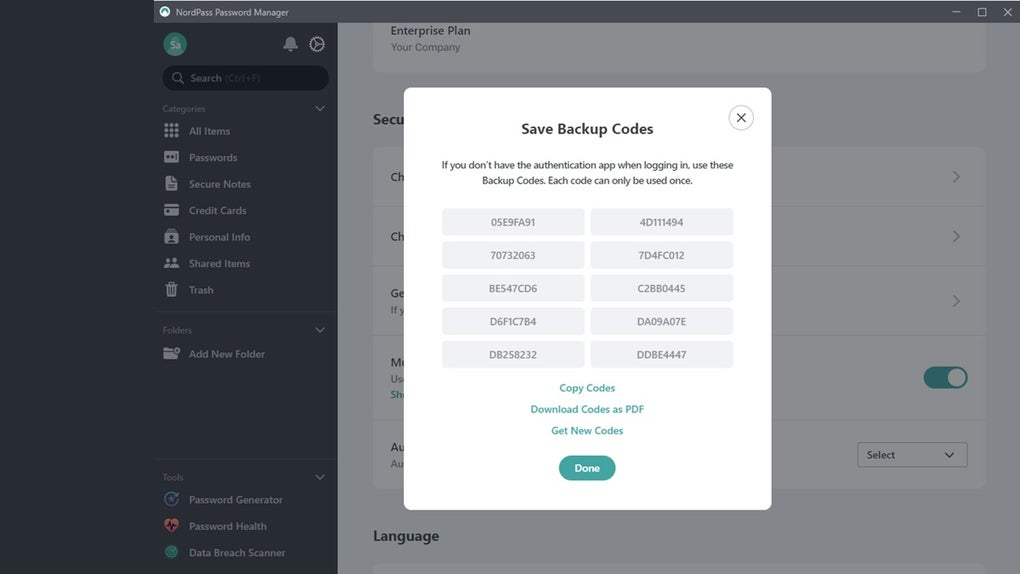
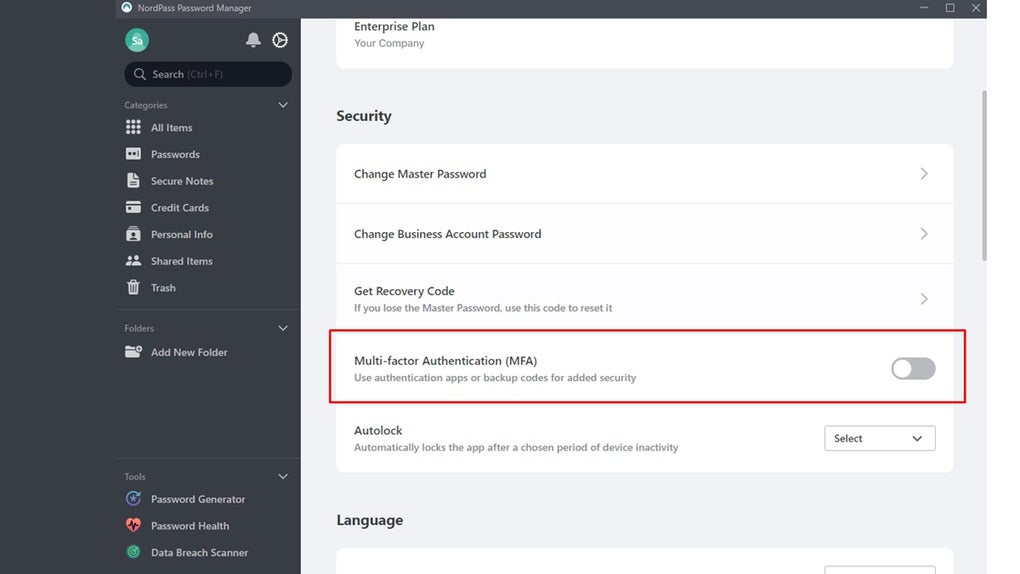
- Biometric & MFA Support: Fingerprint, Face ID, and TOTP for an extra layer of login security.
Installation & Usage Instructions
Getting started with NordPass Enterprise is intentionally straightforward, allowing IT teams to deploy the solution within minutes rather than days.
Step 1 – Sign Up for the Free Trial
Visit the official NordPass website, click the “Start Free Trial” button, and fill in the corporate email address. After verifying the email, you’ll receive an invitation to create the first admin account. This account grants full access to the admin console where you can configure policies, invite users, and set up integrations.
Step 2 – Deploy the Applications
For desktop users, download the native installers for Windows (.exe) or macOS (.dmg) from the portal. Linux users can grab the .deb or .rpm packages, while mobile users simply search “NordPass” in the Apple App Store or Google Play Store. Installation follows the usual OS prompts; the app automatically registers the device with your enterprise vault once you log in with your corporate credentials.
Step 3 – Configure SSO & Directory Sync
Navigate to the “Integrations” tab in the admin console. Choose your identity provider (Azure AD, Okta, etc.) and follow the wizard to upload the SAML metadata or set up SCIM provisioning. This step enables single sign‑on, so users can access NordPass using their existing corporate passwords without additional memorization.
Step 4 – Invite Team Members
From the “Users” section, click “Add Users” and either upload a CSV file or manually type email addresses. Assign each user to a group (e.g., “Finance,” “Engineering”) that reflects the appropriate permission levels. Users receive an email invitation with a secure link to set their master password.
Step 5 – Start Using the Vault
After logging in, the dashboard presents a clear overview of saved items, recent activity, and security recommendations. Use the “+” button to add a new password, secure note, or file. The built‑in password generator helps enforce company‑wide complexity rules. When sharing a credential, select the target group and define the access level (view‑only, edit, or admin). All actions are logged and visible in the audit trail.
Step 6 – Ongoing Management
Administrators should review the monthly security report, enforce password rotation policies, and monitor the “Threat Detection” alerts for any compromised accounts. The auto‑update feature ensures the client apps stay current without manual intervention, keeping security patches applied instantly.
Compatibility & System Requirements
The NordPass Enterprise platform is built to operate on virtually any modern operating system, thanks to its web‑based core and native client apps.
- Windows: Windows 10 (1809) or later, 64‑bit.
- macOS: macOS 10.14 (Mojave) or later.
- Linux: Ubuntu 18.04+, Debian 9+, Fedora 30+, or any distribution supporting .deb/.rpm packages.
- Android: Android 6.0 (Marshmallow) or newer.
- iOS: iOS 12.0 or later, iPadOS supported.
- Browser Support: Latest versions of Chrome, Edge, Firefox, and Safari.
The service runs in a secure cloud environment, so no on‑premise server installation is required. However, organizations that need data residency can choose a specific AWS or Azure region during the onboarding process.
Pros and Cons
Pros
- Military‑grade end‑to‑end encryption with zero‑knowledge architecture.
- Intuitive UI that reduces the learning curve for non‑technical staff.
- Robust admin dashboard with real‑time audit logs and compliance reporting.
- Seamless SSO and directory integration for automated user provisioning.
- Cross‑platform availability ensures consistent experience across devices.
- Automatic password health monitoring and forced rotation policies.
- Free trial with full feature set, allowing thorough evaluation before purchase.
Cons
- Higher price point compared to basic consumer password managers.
- Advanced features (e.g., SCIM provisioning) require a paid plan after trial.
- No self‑hosted option for organizations with strict on‑premise mandates.
- Some users report occasional sync latency on slow internet connections.
- Limited custom branding options for white‑label deployments.
Frequently Asked Questions
Is NordPass Enterprise truly a zero‑knowledge solution?
Yes. All vault data is encrypted locally on the user’s device before it is transmitted to the cloud. NordPass never stores or has access to the master password, ensuring that only the rightful owner can decrypt the information.
Can I import passwords from other password managers?
Absolutely. NordPass supports CSV imports from popular managers like LastPass, 1Password, and KeePass. The import wizard maps fields automatically, and you can review each entry before finalizing the migration.
What authentication methods are available for enterprise users?
NordPass Enterprise supports password‑only login, two‑factor authentication (TOTP), and biometric verification (Fingerprint/Face ID) on supported devices. When integrated with SSO, users can also leverage their corporate MFA solutions.
How does the password sharing feature stay secure?
Shared items are encrypted with a unique key that is re‑encrypted for each recipient’s vault. The sender can revoke access at any time, instantly removing the credential from all recipient devices.
Is there a way to enforce password policies across the organization?
Yes. Admins can define minimum length, complexity requirements, and expiration intervals. The system automatically flags non‑compliant passwords and prompts users to update them.
Conclusion & Call to Action
NordPass Enterprise Password Manager stands out as a comprehensive, security‑first solution that balances powerful administrative controls with an end‑user experience that feels effortless. The free trial removes any barrier to test drive the platform, allowing organizations to validate encryption standards, collaboration workflows, and compliance reporting before committing to a subscription. While the price may be higher than consumer‑grade alternatives, the added value of enterprise‑level integrations, auditability, and zero‑knowledge protection justifies the investment for businesses that cannot afford a single compromised credential. If you’re ready to eliminate password fatigue, tighten security posture, and empower teams with a secure sharing mechanism, download NordPass Enterprise today and start your risk‑free trial. Take advantage of the built‑in password health reports, set up SSO in minutes, and experience a truly modern password management ecosystem designed for the demands of today’s enterprise.
Guides & Tutorials for NordPass Enterprise Password Manager
How to install NordPass Enterprise Password Manager
- Click the Preview / Download button above.
- Once redirected, accept the terms and click Install.
- Wait for the NordPass Enterprise Password Manager download to finish on your device.
How to use NordPass Enterprise Password Manager
This software is primarily used for its core features described above. Open the app after installation to explore its capabilities.
User Reviews for NordPass Enterprise Password Manager 0
No reviews found




